
Cabinet Run vs other cabinet software
Cabinet Run is for small shops building frameless cabinets on a CNC router: from a room to cut sheets in the browser, without a desktop install or a long learning curve. Desktop suites do far more. SketchUp gives you total freedom, if you’ll model every part yourself.
Small frameless shops with a CNC router
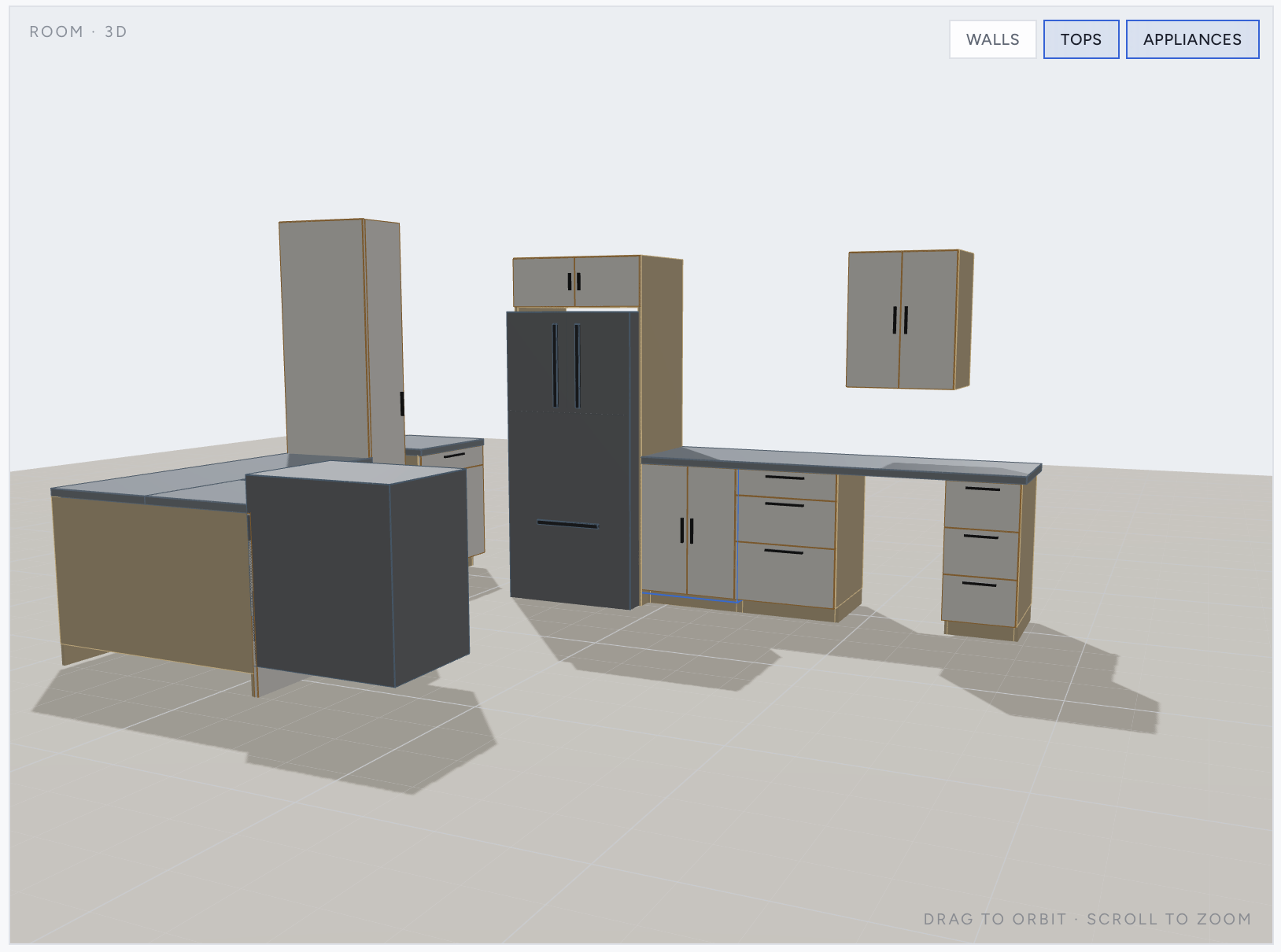
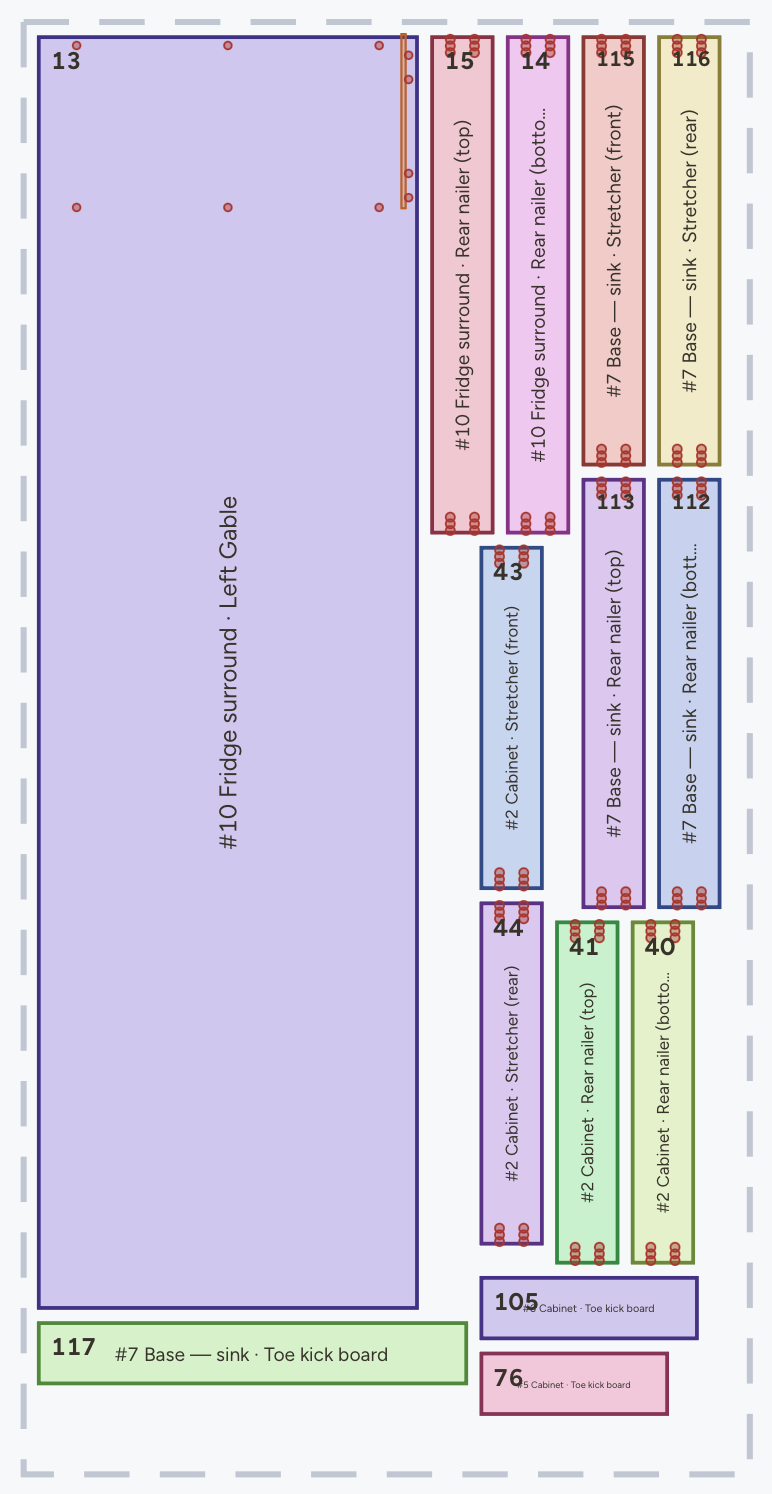
Design a room, get every part with its holes, nest it and cut from VCarve or Aspire, or straight from G-code on a Mach4 or Avid machine. Works on a Mac, PC or iPad.
Frameless only. No quoting yet. G-code is for Mach4 and Avid machines only.
Shops that need everything in one suite
Face-frame and frameless, many door styles, quoting and labels, and direct machine output.
Mostly Windows installs, bigger licences, and more time to learn and set up.
People who'd rather model every part
Anything you can draw, with cut-list and CNC extensions added on.
Parts, holes and drawer boxes are mostly done by hand.
Side by side
| Cabinet Run | Desktop suites | SketchUp + plugins | |
|---|---|---|---|
| Runs on | Any browser, iPad too | Windows installs, mostly | Windows, Mac |
| Setup | None | Install, licence, library | Model it, add plugins |
| Cabinets | Frameless only | Frameless + face-frame | Anything you model |
| Parts & holes | Automatic | Automatic | Mostly by hand |
| Door styles | Slab, shaker, groove | Many | Whatever you model |
| Nesting | Built in, sheet by sheet | Most CNC editions | Extensions |
| CNC output | DXF · G-code for Mach4 & Avid | Direct to machine | Through your CAM |
| Drawings & quotes | On-screen drawings | Included | LayOut (Pro) |
| Price | Free to design · $20/mo | Licence or subscription | Subscription + extensions |
Desktop suites: Mozaik, Cabinet Vision, KCD, Microvellum. Other products change often; check each vendor’s site for current features and pricing.
What you get
Real screens from Cabinet Run.
A good fit if
- you build frameless (European-style) cabinets
- you cut on a CNC router with VCarve, Aspire or other DXF-based CAM
- you want slab or CNC shaker doors without a separate door program
- you design on a Mac, an iPad or any computer
- you’d rather pay a small monthly fee than buy a large licence
Look elsewhere if
- most of your work is face-frame
- you need raised-panel or glass doors, quoting or sticker labels today
- your machine isn’t on Mach4 and needs G-code straight from the design software
- you run a large shop that needs a fully customised production system
Questions
Is Cabinet Run an alternative to Mozaik or Cabinet Vision?
For a small frameless shop cutting on a CNC router, often yes: design, parts, nesting and a DXF your CAM can cut, in the browser. It isn't a like-for-like replacement for a full desktop suite: no face-frame, no quoting, and direct G-code only for Mach4 and Avid machines.
Does Cabinet Run work with Vectric VCarve and Aspire?
Yes. Each sheet downloads as a DXF with every operation on its own named layer, so you set one toolpath per layer. Shaker and groove doors come as a back and a face file, with the depth in the layer name.
Which door styles can it cut?
Slab, a CNC shaker (the centre pocketed out) and a ball-nose groove, set for the whole project or per cabinet. Drawer fronts stay flat.
Does it run on a Mac or an iPad?
Yes. It runs in the browser, so Mac, Windows, Linux and iPad all work with nothing to install.
Can I try it before paying?
Yes. Designing, 3D, the cut list and the nesting preview are free, every new account gets a 14-day trial with no card, and the free plan includes one free sheet as a DXF after that.